tokio-console — observe Tokio task scheduling and runtime behavior

Contents

  1. 1. Setup
  2. 2. Instrumenting the demo
  3. 3. What you see
    1. 3.1. Tasks
    2. 3.2. Resources

Rust async is built around task scheduling—tasks are the language-level unit the executor moves between.

Can you see that scheduling happen? Yes. Tokio ships tokio-console: a live view of tasks, polls, and wakeups that helps when you’re debugging latency or learning how the runtime behaves.

Setup

Your program reports events through console-subscriber; the tokio-console CLI aggregates and displays them.

The API is still unstable, so you need a few flags.

Enable Tokio’s tracing feature and add the subscriber, e.g.:

1
2
3
[dependencies]
console-subscriber = "0.2.0"
tokio = { version = "1.35.1", features = ["full", "tracing"] }

Initialize in main:

1
2
3
4
5
#[tokio::main]
async fn main() {
console_subscriber::init();
// ...
}

Run with: RUSTFLAGS="--cfg tokio_unstable" cargo run

Or bake it into .cargo/config.toml:

1
2
[build]
rustflags = ["--cfg", "tokio_unstable"]

Install the viewer with cargo install tokio-console, then run your app and attach the console.

Instrumenting the demo

The demo reuses the two-thread alternating-print Semaphore pattern; tracing hooks are marked in comments:

1
2
3
4
5
6
7
8
9
10
11
12
13
14
15
16
17
18
19
20
21
22
23
24
25
26
27
28
29
30
31
32
33
34
35
36
37
38
39
40
41
42
43
44
45
46
use std::{sync::Arc, time::Duration};
use tokio::{sync::Semaphore, task, time::sleep};

#[tokio::main]
async fn main() {
// init tracing collection
console_subscriber::init();
// semaphore1 starts with one permit so "1" can print first
let semaphore = Arc::new(Semaphore::new(1));
let cnt = 3;
let semaphore2 = semaphore.clone();

// semaphore_wait starts empty until thread 1 releases
let semaphore_wait = Arc::new(Semaphore::new(0));
let semaphore_wait2 = semaphore_wait.clone();

// name tasks so they show up in the console (plain tokio::spawn won't)
let t1 = task::Builder::default()
.name("t1")
.spawn(async move {
for i in 0..cnt {
let permit = semaphore.acquire().await.unwrap();
print!("1 ");
// longer sleeps make the timeline easier to read
sleep(Duration::from_secs(i)).await;
permit.forget();
semaphore_wait2.add_permits(1);
}
})
.unwrap();

let t2 = task::Builder::default()
.name("t2")
.spawn(async move {
for i in 0..cnt {
let permit = semaphore_wait.acquire().await.unwrap();
print!("2 ");
sleep(Duration::from_secs(i)).await;
permit.forget();
semaphore2.add_permits(1);
}
})
.unwrap();

tokio::try_join!(t1, t2).unwrap();
}

What you see

Switch between task view (t) and resource view (r).

Tasks

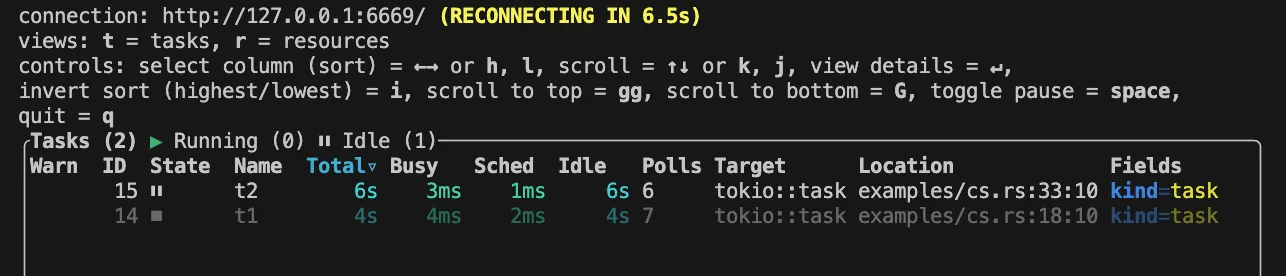
Per task you get time buckets (Total, Busy, Sched, Idle), poll counts, and state.

For what those timers mean, see task-scheduled-time-in-console.
task

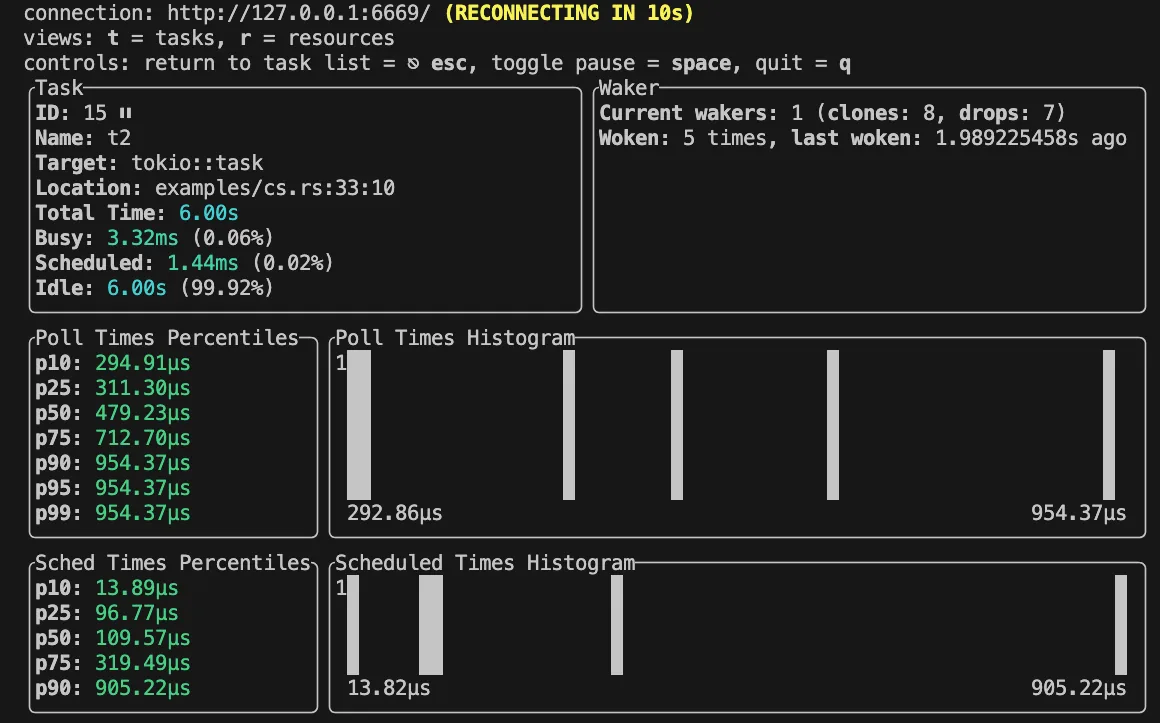
Arrow keys move the selection; Enter drills into a row (e.g. task-t2) for waker details and finer-grained timing—handy for spotting stragglers.
task-detail

Resources

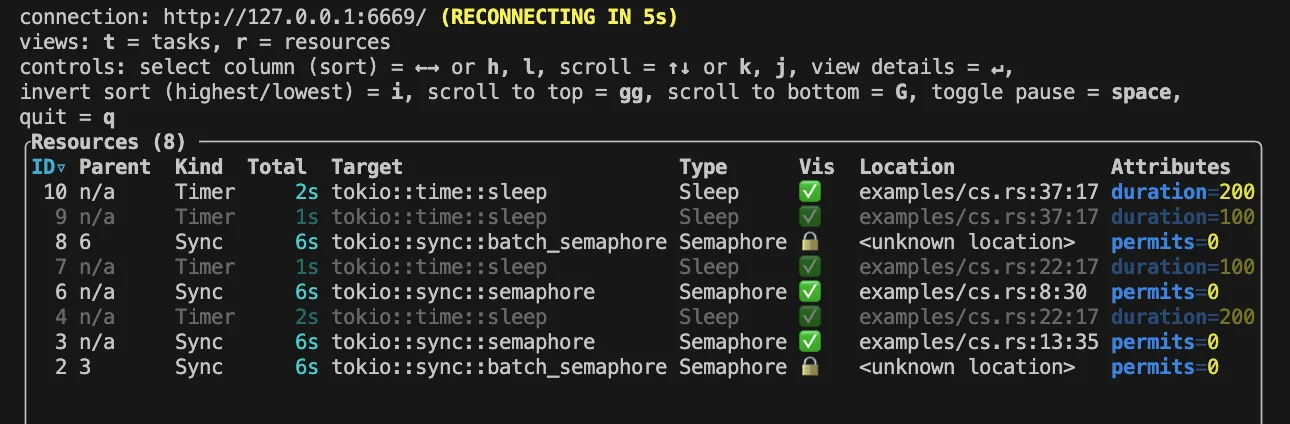
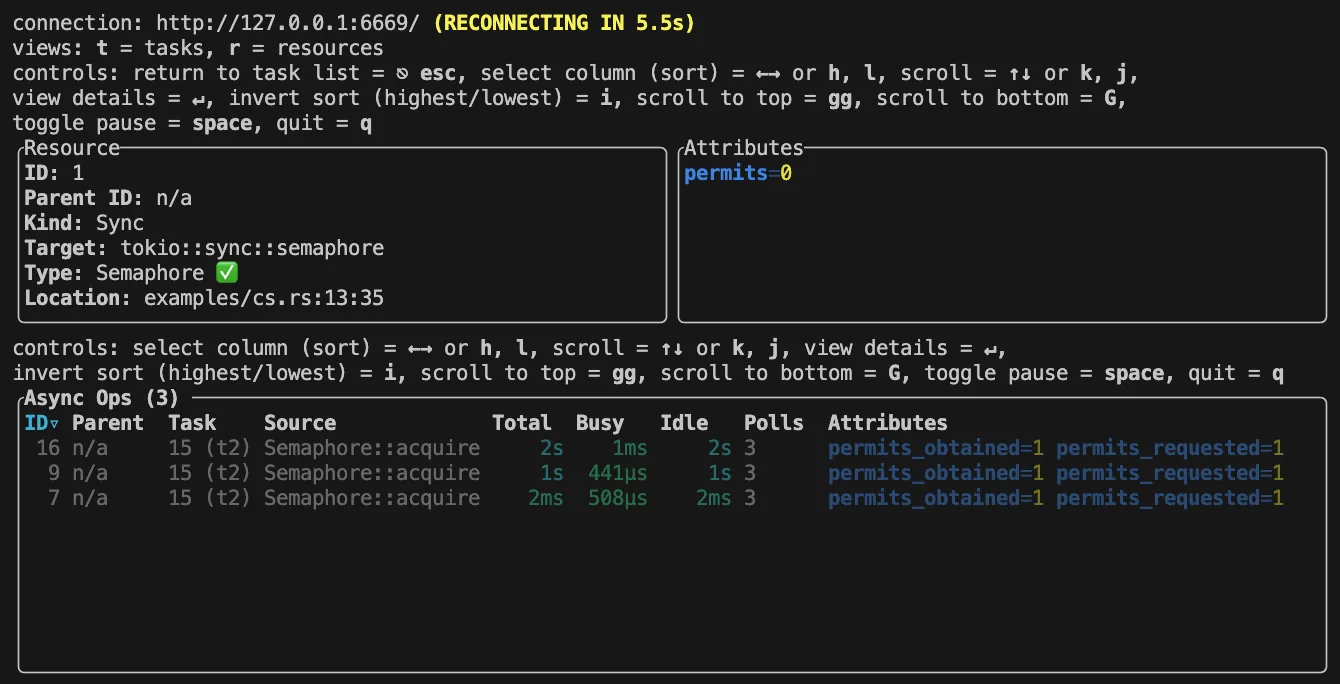
The resource view lists which async primitives were exercised.
resource

Expand a row for per-call timing—for example the three semaphore_wait.acquire calls on t2.
resource-details

Full sample: tokio-play

More examples: console-subscriber/examples

Questions? Leave a comment below or email: newbvirgil@gmail.com