Contents
A bundle is how OPA ships policy and data as one artifact. The engine was built for sidecars and daemons in cloud-native setups, so distribution, updates, and observability show up early — not as an afterthought.
Bundles cover:
- Central config for policy + data
- Hot(ish) policy refresh without redeploying every consumer
- Health, metrics, and decision logs from many OPA instances
With Rego on top, that’s what makes OPA feel like a general policy layer instead of a one-off authz library.
Below: bundle layout, server APIs, remote bundle config, embedding options, and metrics. There’s a docker-compose demo in the koans repo—run it locally once you’ve skimmed the sections.
Bundle layout
Under a bundle directory, only data.json / data.yaml files become JSON document roots; parent directories become the data prefix.
Example (bundle/example):
1 | cd bundle/example |
roles/data.json loads at data.roles.
Optional .manifest:
1 | cat .manifest |
revision is the bundle version. roots lists allowed path prefixes — also what the bundle API may overwrite when you push updates.
Ship as a tarball:
1 | cd bundle/example |
REPL input for bundles: use
repl/input/data.jsoninstead ofrepl.input:quick-start/input.json. See bundle file format.
OPA server APIs
Before bundle-specific endpoints, the REST API surface:
| API | Purpose |
|---|---|
| Data | Query rules and virtual documents |
| Policy | Read compiled policy |
| Query | Ad-hoc query execution |
| Compile | Partial evaluation |
| Health | Liveness |
| Metrics | Prometheus text |
Spin up server mode on the quick-start tree:
1 | opa run --server quick-start |
Paths are under /v1/; data queries under /v1/data/.
1 | cat <<EOF > v1-data-input.json |
Default decision path is
data.system.main— then the POST body isinput, not wrapped. Override:opa run --server --set=default_decision=example_rbac/allow quick-startandcurl -s http://0.0.0.0:8181/ -d @quick-start/input.json
Data API also accepts explain, metrics, provenance, etc. — see docs when debugging.
Bundle management APIs
Four channels aimed at fleets of OPAs:
- Bundles — poll and pull tarball updates
- Decision logs — upload gzipped log batches (size-partitioned, traceable by log id)
- Status — periodic heartbeat with metrics snapshot
- Discovery — central OPA config; nodes sync and then pull the right bundles
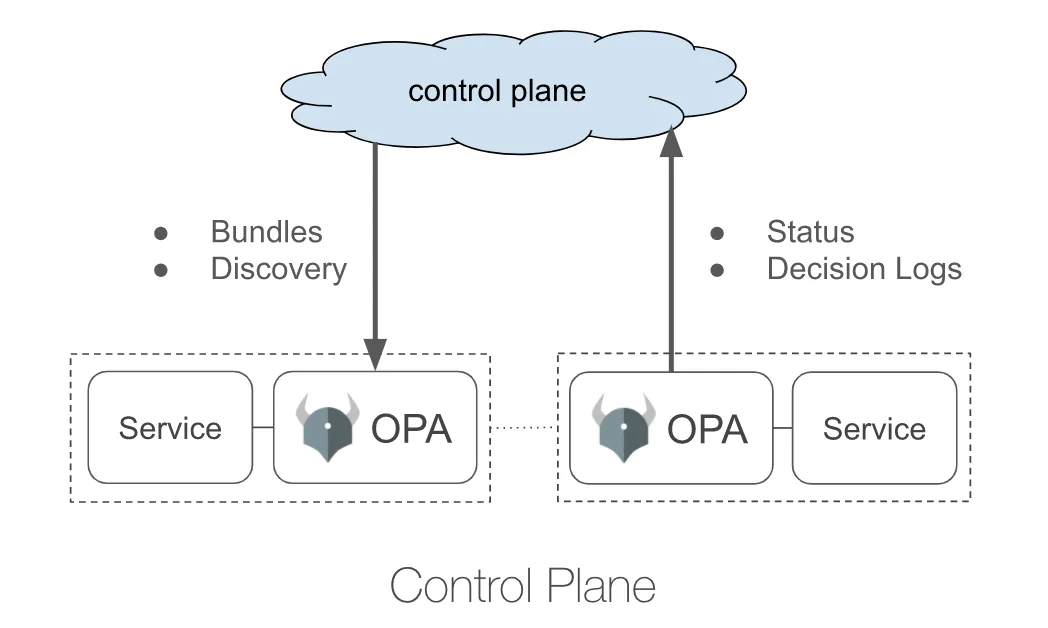
Annotated config sketch (details in official docs; the demo wires this for real):
1 | # opa/config-bundle.yaml |
How you embed OPA
OPA server
1 | opa run -s -a 0.0.0.0:8181 -c opa/config-bundle.yaml |
On start it fetches rbac.tar.gz, serves decisions, and pushes logs/status on the reporting intervals.
Go library
github.com/open-policy-agent/opa/rego:
1 | var err error |
Deployment patterns (official diagrams):
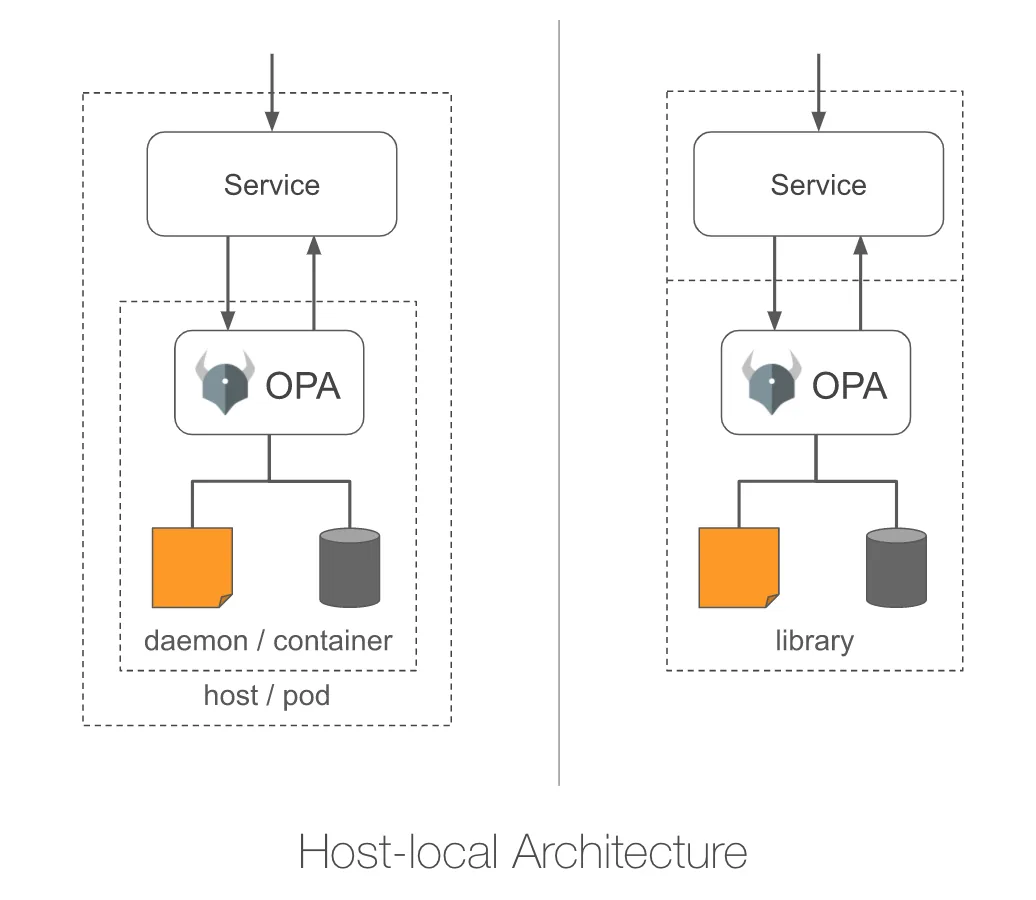
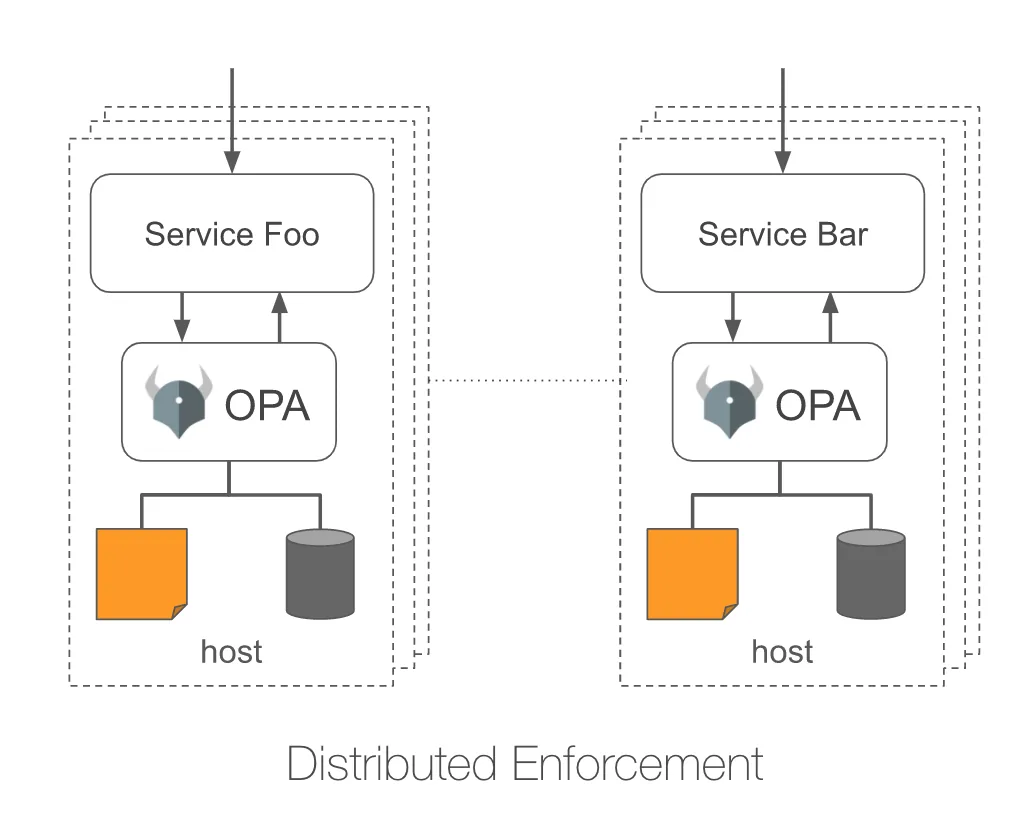
Go sample: example-api-authz-go
Metrics
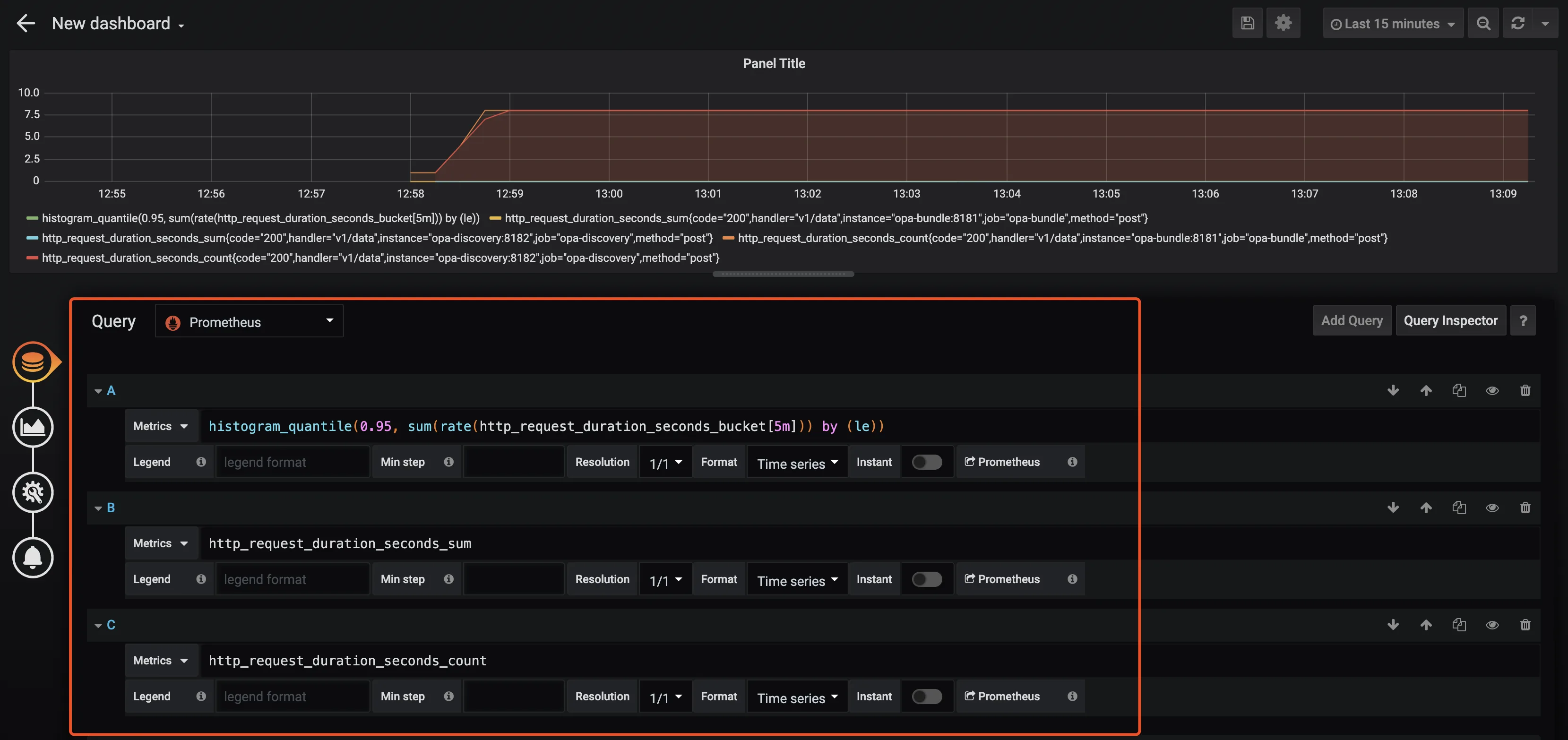
Server exposes Prometheus metrics — scrape and graph:
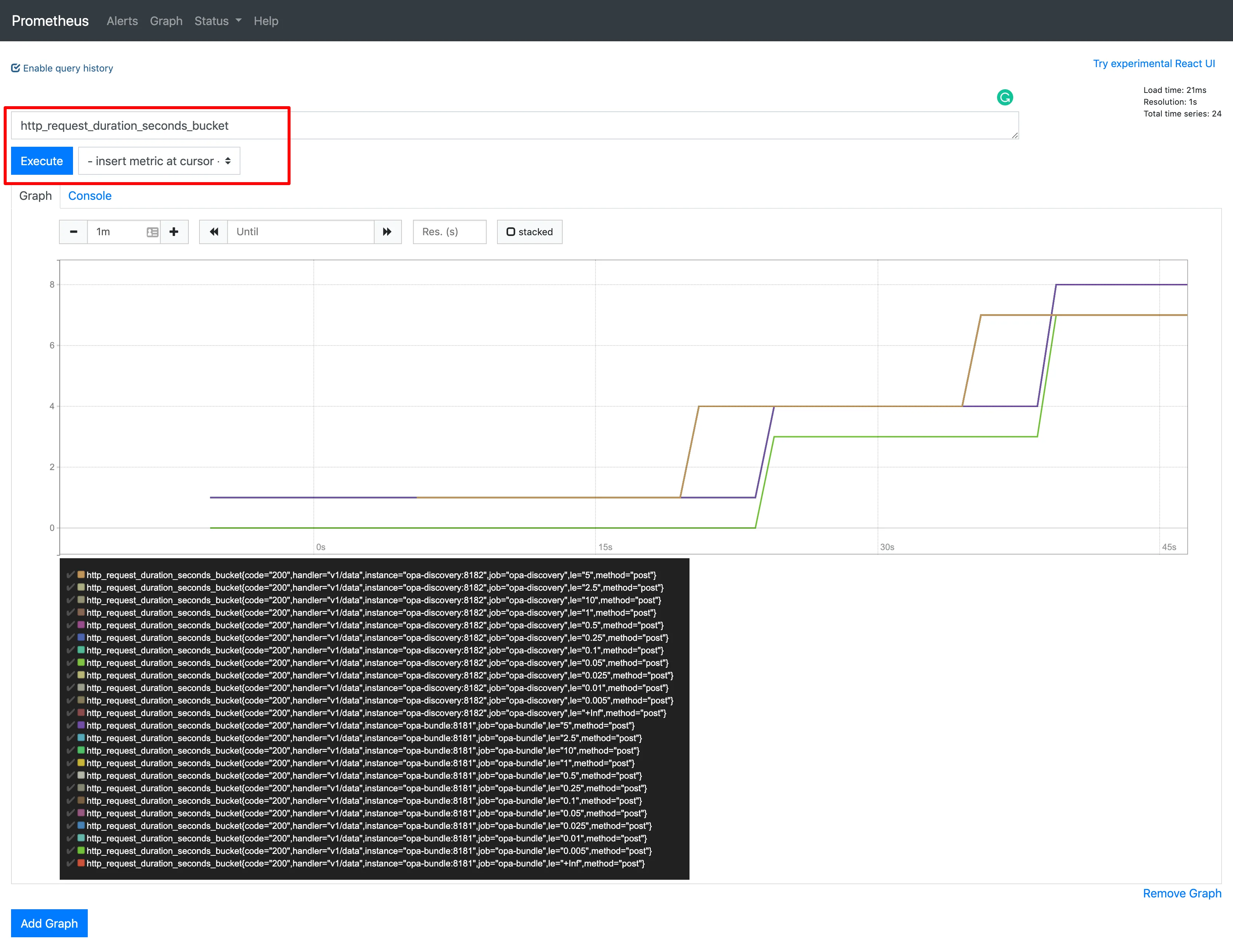
Try it locally
Docker Compose demo in the koans repo:
opa-bundleopa-discoverydemo-server(Go lib)- slim vs advanced monitoring stacks
NewbMiao/opa-koans/bundle — README has step-by-step; open issues if something drifts.
That closes the baseline tutorial arc. Later posts can stitch official examples into production-shaped stories.
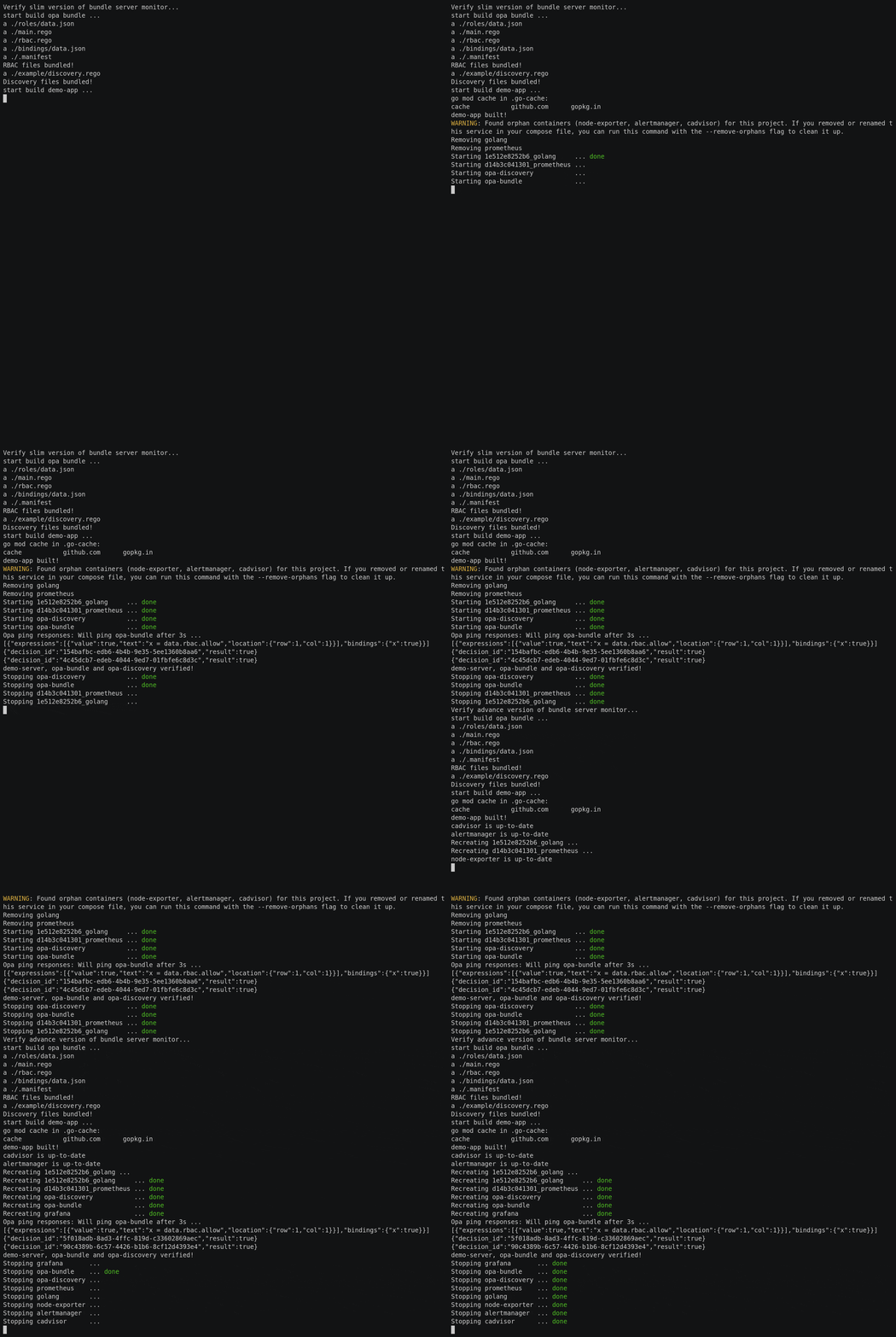
Bundle verify flow from the repo:
More in the OPA series.
Questions? Leave a comment below or email: newbvirgil@gmail.com Permalink: https://newbmiao.github.io/opa-bundle.html
